
Forget Password

View News
NCLT Launches e-Inspection and e-Certified Copy Services: Complete Online Process, Fees, Eligibility and Practical Guide
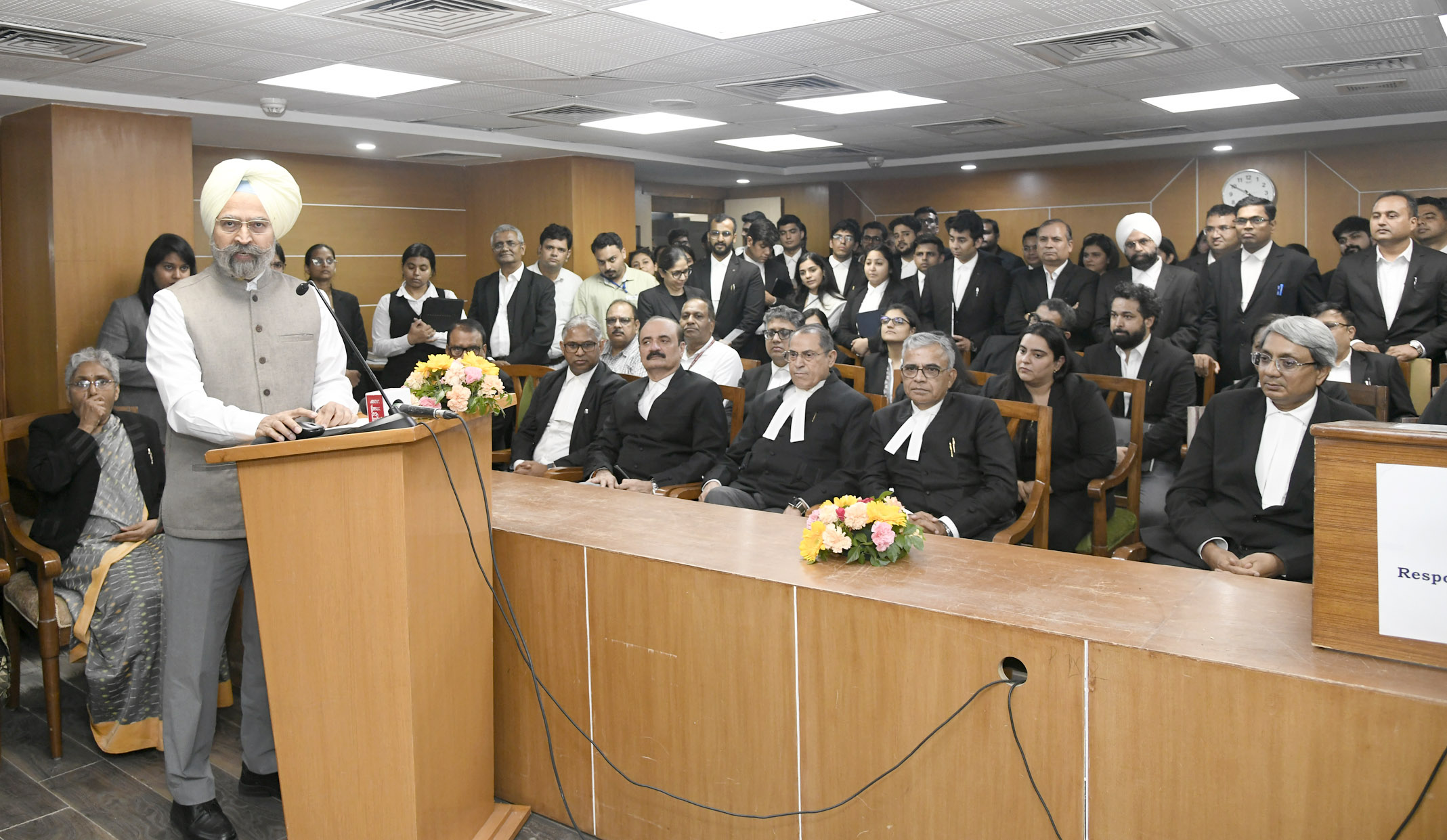
NCLT Launches e-Inspection and e-Certified Copy Services: Complete Online Process, Fees, Eligibility and Practical Guide
The National Company Law Tribunal (“NCLT”) has taken another significant step towards digitising access to its judicial records with the introduction of e-Inspection and e-Certified Copy services through the NCLT e-Filing ecosystem.
The new facilities enable eligible users to submit requests electronically instead of relying exclusively on physical applications before the concerned NCLT Registry. The NCLT website currently provides dedicated links for e-Filing, e-Inspection and e-Certified Copy, reflecting the Tribunal's continuing transition towards technology-enabled case and record management.
The new mechanism is particularly relevant for advocates, litigants, Company Secretaries, insolvency professionals, resolution professionals, liquidators, authorised representatives and other stakeholders who regularly require access to orders, pleadings, applications, affidavits, financial documents and other records forming part of NCLT proceedings.
The important point, however, is that the new facilities should not be understood as an automatic or unrestricted document-download facility. Requests remain subject to Registry scrutiny, approval, applicable fees and availability of records in the electronic system.
1. What has changed?
Traditionally, inspection of NCLT records and obtaining certified copies involved interaction with the Registry of the concerned Bench, including physical applications and collection of documents.
The new digital mechanism seeks to move these activities online.
The broad workflow is:
Online Request -> Registry Scrutiny -> Approval -> Online Payment -> Electronic Access/Delivery
Thus, merely submitting an application does not automatically entitle the applicant to immediate access to the requested records.
The Registry first examines the request. Where the request is approved, the payment facility is activated, wherever applicable. Following successful payment and completion of processing, the requested records are made available electronically.
This creates a more structured and trackable process for accessing NCLT records.
2. e-Inspection and e-Certified Copy - What is the difference?
Although both services operate through the digital ecosystem, they serve different purposes.
| Particulars | e-Inspection | e-Certified Copy |
|---|---|---|
| Purpose | To inspect documents forming part of a case record | To obtain a certified copy of requested documents |
| Application | Online | Online |
| Registry approval | Required | Required |
| Payment | After approval | After approval |
| Fee | Rs. 200 as specified in the workflow | Rs. 5 per page as specified in the workflow |
| Output | Electronic access to selected documents | Digitally signed/stamped certified copy |
| Access mechanism | Portal/document link | Email and portal |
| Access period | 48 hours according to the workflow | Copy remains available as delivered/downloaded |
| Useful for | Reviewing a large set of case documents | Producing an officially certified record/document |
The distinction is important.
Inspection is primarily an access/review mechanism, whereas a certified copy is an authenticated copy intended to have evidentiary or procedural utility.
3. NCLT e-Certified Copy Service
The e-Certified Copy facility enables users to apply online for certified copies of documents forming part of an NCLT proceeding.
The facility is particularly useful where a stakeholder requires an authenticated copy of an order or other document for:
- Court or Tribunal proceedings;
- NCLAT proceedings;
- Compliance purposes;
- ROC/MCA filings;
- Regulatory submissions;
- Corporate records;
- Insolvency proceedings;
- Due diligence;
- Legal opinions;
- Evidence or documentation; or
- Internal corporate records.
The NCLT Rules already contain a statutory framework for certified copies. Under Rule 50 of the NCLT Rules, 2016, the Registry is required to send a certified copy of the final order to the concerned parties free of cost, while certified copies may be made available with cost in other cases. The Schedule of Fees prescribes ?5 per page for obtaining a certified true copy of a final order by parties other than the concerned parties under Rule 50.
Therefore, the new online service should be viewed as a digital mode of requesting and receiving certified records, rather than as a replacement of the substantive rules governing entitlement to certified copies.
4. How to apply for an e-Certified Copy
Step 1 — Register/Login
The applicant must access the NCLT e-Filing system.
Existing registered users can log in using their credentials.
A new user must complete the registration process and subsequently use the credentials provided by the system.
The NCLT's official website provides access to the e-Filing ecosystem.
Step 2 — Navigate to Certified Copy
After login, the workflow provides the following navigation:
My Account -> My Requests -> Certified Copy -> Request Certified Copy
The certified-copy request page will open.
Step 3 — Select Party Type
The applicant must select the appropriate Party Type.
This is important because the applicant's status in relation to the proceedings can affect the nature of the copy being requested and the applicable treatment under the NCLT Rules.
Applicants should therefore avoid selecting a party category merely for convenience.
5. Search for the NCLT Case
The applicant must search for the relevant proceeding using the case particulars available in the portal.
Depending upon the case, relevant information may include:
- Case type;
- Case number;
- Case year;
- Bench;
- Party details; and
- Other case identifiers.
The NCLT's public website separately provides case-search facilities, including case-number-wise and party-wise searches.
6. Free Copy vs Paid Copy
One of the important features of the electronic workflow is the distinction between Free Copy and Paid Copy.
Under the workflow:
Free Copy
The free-copy option relates to the order available under the relevant document category.
This should also be read with Rule 50 of the NCLT Rules, 2016, under which the Registry sends a certified copy of the final order to the concerned parties free of cost.
Paid Copy
The paid-copy option permits selection of documents available in the case record, subject to the documents being available and the applicant's entitlement.
The applicant should therefore carefully select the exact document(s) required rather than requesting an unnecessarily broad set of records.
7. Selection of Documents
After the case is identified, the portal displays documents available for selection.
The applicant should carefully verify:
- Document title;
- Date of document;
- Order date;
- Application number;
- Document type;
- Number of pages, where displayed;
- Case number; and
- Relevant parties.
This is particularly important in cases involving multiple interlocutory applications.
For example, an applicant may require:
- Main petition;
- Interim application;
- Final order;
- Interim order;
- Affidavit;
- Reply;
- Rejoinder;
- Resolution plan;
- Liquidator's report;
- Resolution Professional's application; or
- Other documents forming part of the record.
The availability of a document will depend upon whether the relevant record has been digitised and uploaded to the electronic case record.
8. Remarks and OTP Verification
The applicant may be required to enter appropriate remarks concerning the request.
The request is then verified through the OTP mechanism prescribed by the portal.
Before final submission, applicants should conduct a final verification of:
Case Number + Case Title + Party Details + Document + Copy Type
An incorrect case number or incorrect document selection may result in Registry queries or delay in processing.
9. Manual Case Entry - Important New Feature
A particularly useful feature is the Manual Case Entry facility.
There may be circumstances where an old case or a particular proceeding cannot be located through the portal's normal case-search function.
Instead of abandoning the application, the applicant can use the manual-entry facility to provide the case particulars.
The information may include:
- Capacity in which the copy is requested;
- Case type;
- Case number;
- Case year;
- NCLT Bench;
- Territorial jurisdiction;
- Case title;
- Case status;
- Party name;
- Party email address;
- Party mobile number; and
- Supporting documents.
The applicant can then submit the request for consideration by the Registry.
Important
Manual Case Entry does not mean automatic generation of the certified copy.
It merely enables the applicant to place the request before the Registry where the case is not readily identifiable through the electronic search facility.
The request remains subject to:
Verification -> Registry Approval -> Payment -> Processing -> Delivery
10. Approval of Certified Copy Request
After submission, the request is examined by the concerned Registry.
The applicant should regularly monitor the request status through the portal.
The request may not move directly from submission to payment.
The general process is:
Request Submitted
Registry Scrutiny
Request Approved
Payment Option Activated
Payment Made
Certified Copy Processed
Electronic Delivery
This is one of the most important practical aspects of the new system.
11. Fee for e-Certified Copy
The certified-copy workflow specifies a fee of:
Rs. 5 per page
The applicable amount will consequently depend upon the number of pages forming part of the requested copy.
For example:
| Pages | Fee |
| 10 pages | Rs. 50 |
| 25 pages | Rs. 125 |
| 50 pages | Rs. 250 |
| 100 pages | Rs. 500 |
| 250 pages | Rs. 1,250 |
The underlying NCLT Rules also contain a Rs. 5-per-page fee entry for obtaining certified true copies of final orders by persons other than the concerned parties under Rule 50.
Applicants should, however, distinguish between the statutory fee framework and the particular portal workflow applicable to a specific request.
12. Online Payment
Payment is not necessarily required immediately upon submission.
The workflow provides for payment after the request has been approved by the Registry.
Once the payment facility is activated, the applicant can make the applicable payment through the online mechanism provided on the portal.
Applicants should retain:
- Payment acknowledgement;
- Transaction/reference number;
- Application/request number; and
- Screenshot or PDF of the successful payment status.
These records may be useful if there is any subsequent technical or Registry-related issue.
13. Delivery of e-Certified Copy
After successful payment and completion of processing, the certified copy is made available electronically.
The workflow provides for:
- Digitally signed certified copy;
- Official certification/stamp; and
- Facing sheet.
The copy is made available through the electronic system and is also communicated to the applicant's registered email address.
The digital format significantly reduces the need for physical collection from the concerned NCLT Registry.
14. Is an e-Certified Copy legally different from a physical certified copy?
The introduction of an electronic certified-copy mechanism does not by itself alter the substantive legal status of certified copies under the NCLT framework.
The key issue is authentication.
The purpose of the digital-signature/stamp mechanism is to establish that the electronic copy has been issued through the Tribunal's authorised process.
Accordingly, users should preserve the complete electronic file, including:
- Certified document;
- Facing sheet;
- Digital signature/certification;
- Downloaded copy;
- Email communication; and
- Request/payment acknowledgement.
Where a document is subsequently filed before another judicial or regulatory authority, the specific filing requirements of that authority should also be checked.
15. NCLT e-Inspection Service
The second major digital facility is e-Inspection.
Inspection is fundamentally different from obtaining a certified copy.
Under the existing NCLT framework, Rule 114 deals with inspection of records. The NCLT's Citizen's Charter also records that parties or their authorised representatives may inspect case records upon making the prescribed application, with the inspection fee stated as Rs. 200.
The new e-Inspection mechanism enables this process to be initiated electronically.
16. Who may benefit from e-Inspection?
The service can be particularly useful for:
- Advocates;
- Company Secretaries;
- Litigants;
- Resolution Professionals;
- Resolution Applicants;
- Liquidators;
- Creditors;
- Authorised representatives;
- Corporate legal teams;
- Insolvency professionals;
- Due-diligence teams; and
- Other eligible stakeholders.
It can be especially useful where a proceeding contains a large volume of documents and the applicant first needs to review the record before deciding which documents require certified copies.
17. How to apply for e-Inspection
The broad portal workflow is:
My Account --> My Requests --> e-Inspection --> Apply for e-Inspection
The applicant is then required to identify the relevant case.
18. Search and Select the Case
The applicant must select the appropriate Party Type and search for the relevant proceeding.
Once the case is identified, the system displays the case information and available documents.
The applicant can then select the documents required for inspection.
The scope of inspection will naturally depend upon the electronic documents actually available in the case record.
19. State the Reason for Inspection
The applicant is required to provide the reason for seeking inspection.
This is an important procedural requirement and should be drafted clearly.
For example:
“Inspection is required for review of pleadings, orders and documents forming part of the proceedings for legal and compliance purposes.”
Where appropriate, supporting documentation may also be uploaded.
Applicants should avoid giving vague or irrelevant reasons because the Registry may require sufficient particulars to process the request.
20. Submission and Registry Approval
After the request is submitted, it is examined by the concerned Registry.
Payment is not required at the initial submission stage under the stated workflow.
The applicant should therefore monitor:
My e-Inspection Requests
for changes in status.
Once approved, the payment facility becomes available.
21. Fee for e-Inspection
The prescribed inspection fee specified in the workflow is:
Rs. 200 per inspection request
This is consistent with the inspection fee reflected in the NCLT's Citizen's Charter, which states that the fee specified for inspection of files is Rs. 200.
22. Access to Documents after Payment
Following successful payment and processing, the applicant receives access to the selected documents electronically.
The applicant can open the document link and inspect the records through the NCLT e-Filing system.
This eliminates the need, in appropriate cases, to physically attend the Registry merely to inspect the record.
23. The 48-Hour Access Window
One of the most important practical points is the limited access period.
Under the e-Inspection workflow, the electronic inspection link remains active for 48 hours.
Therefore, applicants should not assume that the link will remain permanently accessible.
Once the inspection request is approved and the documents become accessible, the applicant should:
- Open the inspection link promptly;
- Review all selected documents;
- Download or retain permitted records where appropriate;
- Make a note of important page numbers;
- Identify documents requiring certified copies; and
- Complete the inspection within the prescribed access period.
24. Recommended Strategy: Inspect First, Certify Later
For large NCLT matters, the new system can substantially improve efficiency.
Instead of immediately applying for certified copies of hundreds of pages, a professional can adopt the following approach:
Step 1
Apply for e-Inspection.
Step 2
Review the complete electronic record.
Step 3
Identify the documents actually required.
Step 4
Note the relevant dates, page numbers and document titles.
Step 5
Apply for certified copies only of the required documents.
This can reduce unnecessary costs and avoid requesting documents that ultimately prove irrelevant.
25. Practical Example
Suppose a Company Secretary is conducting due diligence in an NCLT insolvency proceeding.
The case contains:
- Main petition;
- Multiple interlocutory applications;
- Interim orders;
- Final order;
- Resolution Plan;
- Affidavits;
- Replies;
- Rejoinders; and
- Miscellaneous applications.
Instead of requesting certified copies of the entire record immediately, the professional may first use e-Inspection.
After reviewing the record, the professional may determine that only:
- Order dated 10 January 2026;
- Order dated 25 March 2026;
- Resolution Plan;
- Final approval order; and
- Relevant interlocutory application
are required.
The professional can then separately apply for certified copies of the required documents.
This approach is likely to be considerably more efficient than indiscriminately seeking certified copies of the entire case file.
26. Important Legal Distinction — Free Final Order vs Paid Certified Copy
Users should not confuse the new digital facility with the underlying entitlement under Rule 50.
Rule 50 provides that the Registry sends a certified copy of the final order to the concerned parties free of cost. The Rules also provide for certified copies with cost in other cases.
The Supreme Court has also considered the relationship between free and paid certified copies under Rule 50 and recognised that both are treated as certified copies for the purposes considered by the Court.
This is particularly relevant in matters involving limitation periods and appeals.
Accordingly, litigants should not assume that the limitation period will automatically wait until they apply for or receive a paid certified copy.
The date of availability/communication of the order and the applicable statutory limitation provisions must be examined separately for each proceeding.
27. e-Inspection vs e-Certified Copy - Detailed Comparison
| Parameter | e-Inspection | e-Certified Copy |
| Primary purpose | Review case records | Obtain authenticated copy |
| Application mode | Online | Online |
| Registry scrutiny | Yes | Yes |
| Approval required | Yes | Yes |
| Payment timing | After approval | After approval |
| Fee stated in workflow | ?200 | ?5 per page |
| Document selection | Yes | Yes |
| Manual Case Entry | Relevant where case is not found | Available where case is not found |
| Reason required | Yes | Remarks/request details |
| OTP | Yes, as prescribed | Yes, as prescribed |
| Output | Electronic inspection access | Digitally signed/stamped certified copy |
| Access period | 48 hours | Electronic delivery |
| Best use | Review/select documents | Official/legal use of authenticated document |
| Physical Registry visit | Generally reduced | Generally reduced |
28. Key Benefits of the New System
28.1 Reduced physical visits
Professionals no longer need to visit the concerned Bench merely to initiate every inspection/certified-copy request.
28.2 Faster document access
The digital workflow can reduce the administrative time involved in obtaining records.
28.3 Better tracking
Requests can be monitored through the portal.
28.4 Reduced paperwork
Applications, supporting documents and payment can be handled electronically.
28.5 Better due diligence
e-Inspection can be used as a preliminary document-review mechanism.
28.6 Easier access for professionals outside the Bench location
A professional based in Delhi, Mumbai, Bengaluru or another city can initiate a request without necessarily travelling to the Bench.
28.7 Digital record preservation
Digitally issued documents can be stored electronically for future reference, subject to applicable legal and evidentiary requirements.
29. Important Practical Precautions
1. Verify the case number
NCLT matters frequently contain multiple applications connected with the same principal proceeding.
2. Verify the Bench
Ensure that the correct NCLT Bench has been selected.
3. Check the document date
Where several orders exist, the date should be verified carefully.
4. Do not assume every document is available online
The electronic system can only provide documents available in the digitised case record.
5. Monitor approval status
Payment may become available only after Registry approval.
6. Keep payment records
Always preserve the transaction/reference number.
7. Do not delay inspection
The inspection link is stated to remain active for only 48 hours.
8. Preserve the complete certified copy
Do not retain only the main document if the facing sheet or certification page forms part of the issued record.
9. Check downstream filing requirements
If the copy is required for NCLAT, High Court, Supreme Court, ROC, SEBI, IRDAI or another authority, check the specific filing requirements of that authority.
10. Use the correct party status
The applicant's relationship with the case can affect the applicable process and fee.
30. What if the Case is Not Available in the Portal?
This is one of the most important issues for older NCLT matters.
If the case cannot be located through the normal search facility, the applicant should consider the Manual Case Entry option rather than assuming that the record cannot be accessed.
The applicant should provide as much accurate information as possible, including:
- Correct case number;
- Case year;
- Case type;
- Bench;
- Parties;
- Case title;
- Status; and
- Supporting documentation.
The Registry can then examine the request.
This feature is particularly useful for older proceedings where the electronic record may not yet be completely integrated into the searchable database.
31. What if the Required Document is Not Available?
The new system should not be interpreted as guaranteeing electronic availability of every historical document.
If the required document does not appear in the available document list, the applicant may need to:
- Verify whether the document is part of the electronic record;
- Check the case history;
- Contact the concerned Registry where necessary;
- Use the Manual Case Entry mechanism where appropriate; or
- Follow any alternative procedure prescribed by the Registry.
The NCLT website itself continues to provide case-history and order-search facilities, which can be useful for cross-checking case information.
32. Impact on Company Secretaries and Corporate Legal Teams
The introduction of e-Inspection and e-Certified Copy services is particularly significant for Company Secretaries.
Corporate legal and secretarial teams frequently require NCLT orders for:
- Mergers and amalgamations;
- Arrangements;
- Reduction of share capital;
- Oppression and mismanagement proceedings;
- Restoration applications;
- Winding-up proceedings;
- Insolvency proceedings;
- Approval of resolution plans;
- Compromise and settlement matters;
- Corporate restructuring; and
- Regulatory compliance.
The digital process can allow the CS/legal team to initiate the request centrally and maintain the resulting documents within the company's electronic legal repository.
33. Impact on Insolvency Professionals
For Resolution Professionals and Liquidators, the facility can be particularly useful because insolvency proceedings often involve extensive documentary records.
An RP or Liquidator may use e-Inspection to review:
- Applications;
- Orders;
- Affidavits;
- Claims-related documents;
- Resolution Plan documents;
- Committee-related proceedings where available;
- Avoidance applications;
- Miscellaneous applications; and
- Directions issued by the Tribunal.
Certified copies can subsequently be obtained for documents that need to be relied upon before another forum or authority.
34. Impact on Advocates and Litigants
For advocates, the system provides an additional digital channel for obtaining records without repeatedly attending the Registry.
For litigants, it can make the record-access process easier to monitor and potentially reduce administrative inconvenience.
However, professionals should continue to maintain their own case-management records because electronic availability should not be treated as a substitute for independent preservation of important orders and documents.
35. Relationship with the NCLT's Broader Digital Transformation
The introduction of e-Inspection and e-Certified Copy services forms part of the broader digitisation of the NCLT's case-management infrastructure.
The NCLT's current website provides a range of electronic services, including:
- e-Filing;
- e-Inspection;
- e-Certified Copy;
- Case History;
- Orders and Judgments;
- Cause Lists;
- Display Board;
- Bench Roster; and
- Other case-management facilities.
The move towards electronic inspection and certified-copy delivery therefore represents a logical extension of the Tribunal's existing digital infrastructure.
36. Frequently Asked Questions
Q1. Is physical inspection completely discontinued?
Not necessarily.
The new facility provides an electronic mechanism for inspection. The underlying NCLT Rules and Registry procedures continue to govern inspection of records.
Q2. Is payment required when the application is submitted?
Under the stated online workflow, payment is made after the request is approved.
Q3. What is the e-Inspection fee?
The workflow specifies Rs. 200.
Q4. What is the certified-copy fee?
The workflow specifies Rs. 5 per page, subject to the applicable rules and nature of the request.
Q5. Can I apply if the case is not searchable?
Yes. The Manual Case Entry facility is designed to allow the applicant to provide case particulars for Registry verification.
Q6. Does Manual Case Entry guarantee a certified copy?
No. The request remains subject to Registry verification and approval.
Q7. How long is the e-Inspection link available?
The workflow specifies an access period of 48 hours.
Q8. Will I receive a digitally certified document?
The e-Certified Copy workflow provides for a digitally signed/stamped certified copy together with the relevant facing sheet.
Q9. Can I use the certified copy for another proceeding?
Potentially, yes, subject to the requirements of the authority/forum where it is proposed to be filed.
Q10. Is a free final order the same as a paid certified copy?
For purposes governed by Rule 50, the Supreme Court has recognised the legal significance of both free and paid certified copies. The particular consequences should be examined in light of the applicable limitation and procedural provisions.
37. Recommended Workflow for Professionals
For regular NCLT users, the following workflow would be efficient:
Identify Case
Search Case on NCLT Portal
If Found ? Apply for e-Inspection
If Not Found ? Use Manual Case Entry
Registry Scrutiny
Approval
Pay Rs. 200 Inspection Fee
Access Documents Within 48 Hours
Identify Required Documents
Apply for e-Certified Copy
Registry Approval
Pay Applicable Certified-Copy Fee
Receive Digitally Certified Copy
Preserve Certified Copy + Facing Sheet + Payment Record
This approach can significantly improve record-management efficiency.
38. Compliance Takeaway
The launch of e-Inspection and e-Certified Copy services is an important development for the NCLT ecosystem.
The key practical takeaway is that inspection and certified-copy requests can now be initiated through a structured electronic workflow, reducing dependence on physical Registry visits.
However, users should remember four fundamental principles:
- Online application does not mean automatic approval.
- Payment generally follows Registry approval.
- Electronic inspection has a limited 48-hour access window under the stated workflow.
- The underlying NCLT Rules concerning inspection, certified copies and limitation continue to apply.
For Company Secretaries, advocates, insolvency professionals and corporate legal departments, the most efficient approach is likely to be:
Inspect electronically first, identify the documents actually required, and then obtain certified copies of the specific documents necessary for legal, regulatory or compliance purposes.
Conclusion
The NCLT's introduction of e-Inspection and e-Certified Copy services represents a meaningful improvement in the accessibility of Tribunal records.
The significance of the initiative goes beyond simply replacing paper applications with online forms. It creates a more structured digital process encompassing request submission, Registry scrutiny, approval, payment, inspection and certified electronic delivery.
For professionals regularly dealing with NCLT proceedings, the facility can reduce administrative burden, improve document accessibility and make case-record management substantially more efficient.
At the same time, users should remain mindful that the digital workflow operates within the existing statutory and procedural framework of the NCLT. The availability of an online facility does not by itself alter a person's entitlement to records, the distinction between free and paid certified copies, or the limitation consequences associated with judicial orders.
Accordingly, professionals should use the new facility strategically: use e-Inspection for comprehensive review, use e-Certified Copy for authenticated records, preserve the electronic certification trail, and independently verify any limitation or filing requirement arising from the order concerned.
The NCLT's official website currently provides dedicated access to e-Filing, e-Inspection and e-Certified Copy services, together with its case-search and order facilities.
Official NCLT Portal: National Company Law Tribunal